
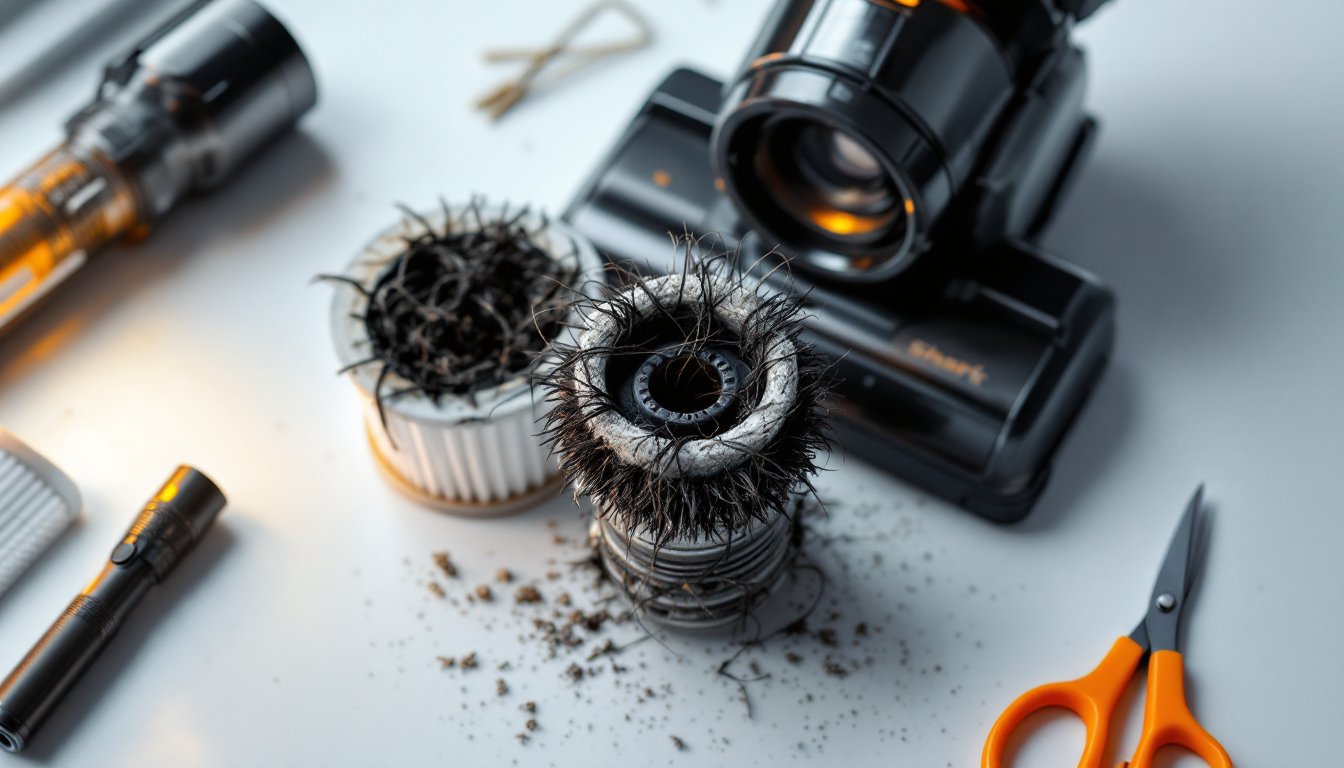
A Shark Rocket vacuum that won’t spin is frustrating, especially when you’ve got carpet to clean. The good news? Most of the time, a shark rocket vacuum roller not spinning comes down to something simple, blockages, tangled hair, or a loose connection. Before you assume your vacuum is broken, walk through these six fixes. You’ll likely get your brush roll turning again in under an hour, armed with nothing more than a few basic tools and a little patience. Let’s get started.
Table of Contents
ToggleKey Takeaways
- A Shark Rocket vacuum not spinning is usually caused by blockages, tangled hair, or mechanical misalignment—most issues resolve within an hour using basic tools.
- Hair wrapped around the brush roll axle is the most common reason a shark rocket vacuum roller won’t spin; clear it with scissors every 2–3 weeks if you have pets or long hair.
- Check that the brush roll is properly seated in its housing with both end caps locked securely, as loose alignment causes binding and prevents the motor from turning the roller.
- A clogged air filter restricts airflow and triggers motor shutdowns that stop the roller; clean or replace it immediately if light won’t pass through it.
- If the roller still won’t spin after checking blockages, bristle damage, and filter condition, reset the motor using the overheat button and verify power by testing a different outlet.
- Visible cracks or severely worn bristles signal that the roller needs replacement; Shark proprietary replacement rollers cost $20–$50 and take under a minute to install.
Check for Blockages and Debris
The first place to look is the most obvious: blockages. Hair, dust, string, and small objects can jam the roller assembly or the intake path, preventing spin. Start by unplugging your Shark and visually inspecting the brush roll housing, the area where the roller sits. Look for visible hair wrapped around the axles, lint clogs, or debris packed into the roller chamber.
Next, check the suction pathway. Remove any easily accessible debris from the dust cup and filter area. If you’ve got a handheld mirror, shine it into the roller cavity to see what’s hiding inside. Many Shark Rocket users don’t realize how quickly hair accumulates in tight corners. A flashlight and a straightened wire coat hanger or a old credit card can gently dislodge stubborn blockages, just be careful not to scratch the plastic housing.
Also check the discharge path. If your Shark Rocket has a hose or wand attachment, disconnect it and peer through. Blockages upstream can prevent airflow, which can cause the motor to stall and the roller to stop spinning. Clogs often happen near connection points where debris compresses. If you find a major clog, disconnect the affected section and clear it with gentle water flushing (let it dry completely before reassembly). Once blockages are cleared, plug in the vacuum and test the roller. If it spins freely, you’re done: if not, move to the next step.
Inspect the Brush Roll for Damage or Tangled Hair
Remove Wrapped Hair and Fibers
Hair is the brush roll’s worst enemy. Over time, strands wrap tightly around the axle, creating friction that stops the roller from spinning. This is one of the most common culprits in a shark rocket vacuum roller not spinning scenario. To fix it, unplug the vacuum and locate the brush roll release buttons (usually on both sides of the roller assembly). Depending on your Shark Rocket model, you may need a flathead screwdriver to unlock the end caps.
Once released, lift the roller out of its housing. You’ll likely see a mat of hair wrapped around it. Using scissors or a seam ripper, carefully cut the tangled hair lengthwise and pull it away. Work slowly, don’t yank or you’ll bend the bristles. Wiggle and rotate the roller as you go: this helps loosen wrapped fibers. Pay special attention to the center axle, where the motor connection sits. Hair buildup there blocks power transfer. Today’s Homeowner recommends checking your roller every 2–3 weeks if you have pets or long hair in your household. Once the roller is clear, spin it by hand a few times to ensure it rotates smoothly.
Look for Cracks or Worn Bristles
Now inspect the bristles themselves. Look for cracks in the plastic housing, bent bristles, or significant wear. Bristles should feel springy and uniform in length. If they’re matted, broken, or severely worn, the roller can’t make proper contact with carpet fibers, and the motor may shut down as a safety measure. Run your hand over the bristles against the grain. You should feel even resistance, not smooth (which means they’re worn) and not sharp (which means there’s damage).
If the bristles are just dusty, brush them out with an old toothbrush under lukewarm water, then let the roller air-dry completely (at least 30 minutes) before reinstalling. If you see deep cracks or bristles that won’t straighten, the roller needs replacement. Shark sells proprietary replacement rollers, they’re not expensive (typically $20–$50), and swapping one takes just a minute. Don’t ignore visible damage: a cracked roller can eventually prevent the motor from engaging. Once you’ve confirmed the roller looks good, reinstall it, making sure the end caps lock securely.
Verify the Brush Roll Is Properly Seated
Even a clean, undamaged roller won’t spin if it’s not properly aligned in its housing. This is an easy-to-miss step that catches a lot of DIYers. Reinstall the roller into its chamber, making sure both ends slide fully into their slots. The axle pegs should click or sit flush on both sides. If one side is loose or sits higher than the other, the roller binds and the motor can’t turn it.
Close the end caps and listen for a click or lock. Different Shark Rocket models use different mechanisms, some have sliding locks, others have rotating latches. Check your manual if you’re unsure, but generally, you shouldn’t have to force anything. If it feels tight or unbalanced, remove the roller and check the housing slots for damage or debris. Sometimes a tiny piece of plastic or hair prevents full seating. Use a flashlight to inspect both slot channels. If you spot damage to the housing itself, you may need a replacement brush roll assembly (more involved than just a roller swap).
Once the roller is seated and locked, spin it by hand to confirm it rotates without binding. It should move smoothly with gentle pressure. If it sticks or catches, remove it again and troubleshoot the housing. Don’t reassemble and plug in until the roller spins freely by hand, this tells you the mechanical path is clear and the motor won’t overwork itself.
Clean or Replace the Air Filter
A clogged air filter restricts airflow, which can cause the motor to underperform or shut down as a safety measure. When the motor cuts power, the brush roll stops spinning. This is a simple but overlooked culprit. Locate your Shark Rocket’s filter, usually a cylindrical or flat foam/pleated cartridge near the dust cup. Consult your manual for the exact location if you’re not sure.
Remove the filter and hold it up to a light source. If you can barely see light through it, it’s clogged. Tap it gently over a trash can to dislodge loose dust. For foam filters, rinse under lukewarm running water, squeezing gently to release trapped debris. Never use hot water or soap on foam: it breaks down the material. For pleated cartridge filters, a gentle tap and light brushing with a soft brush works best (avoid water unless the manual says it’s safe). Shake off excess water and let the filter air-dry completely, at least 30–60 minutes, before reinstalling.
If the filter is damaged, torn, or so discolored that it won’t come clean, replace it. Shark filter replacements are inexpensive and widely available online. A fresh filter restores airflow and often restores motor performance instantly. Reinstall the filter, making sure it seats fully in its slot and locks in place (if applicable). Most Shark Rocket models have a filter reset light that turns on when cleaning is needed: after replacing or cleaning the filter, the light should reset. Plug in the vacuum and test. If the roller now spins, congratulations, your blockage was in the intake path.
Reset Your Vacuum and Check the Power Source
If you’ve worked through all the mechanical checks and the roller still won’t spin, a power issue or a safety lock might be the problem. Many Shark Rocket models have a motor reset button or an overheat sensor that shuts down the vacuum if it gets too hot. Locate this button (check your manual, it’s usually on the motor housing or handle). Press and hold it for a few seconds, then release. Wait 30 minutes before testing again: if the motor overheated, it needs to cool down.
Next, verify the power source. Plug the vacuum into a different outlet to rule out a tripped breaker or a faulty outlet. If you’re using an extension cord, try plugging directly into a wall outlet instead. Frayed cords or damaged plugs can deliver incomplete power. If the vacuum powers on (fan runs, dust cup light works) but the roller doesn’t spin, you’ve isolated the issue to the roller motor or mechanical drive. If the entire vacuum is dead (no power at all), you likely have an electrical problem, faulty cord, plug, or internal switch, that requires professional repair or replacement.
Assuming power is present, try pressing the roller release button (some Shark Rocketsinclude a dedicated “brush roll on/off” toggle) to ensure it’s in the “on” position. Good Housekeeping notes that many appliance issues stem from a simple setting that’s been accidentally switched. Once you’ve confirmed power and all settings are correct, run through each of the previous checks one more time, sometimes a second pass catches what you missed. If the roller still refuses to spin after all these steps, the brush roll motor may have failed internally, and a replacement assembly or professional service is your next move.