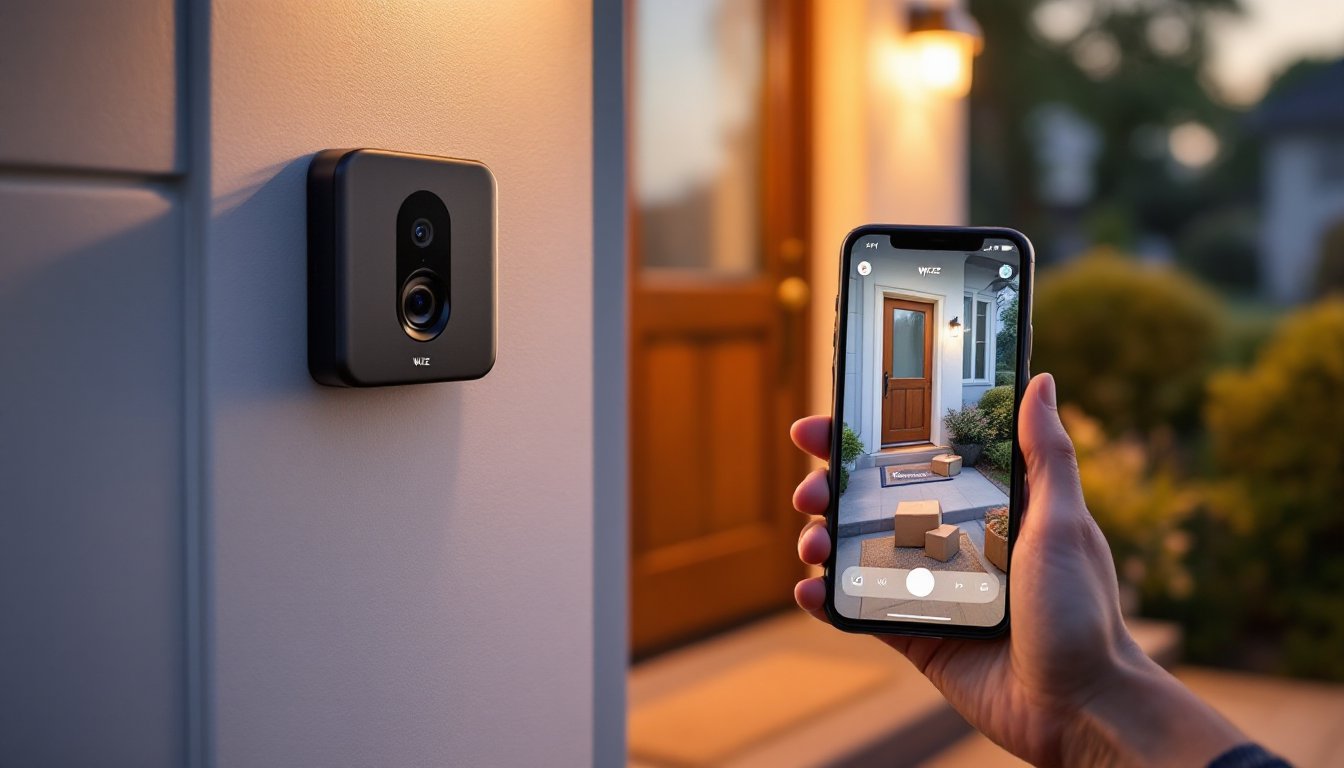
A smart doorbell isn’t a luxury anymore, it’s one of the easiest entry points into home security. The Wyze Video Doorbell delivers 1080p video, two-way talk, and smart alerts at a price that won’t drain your renovation budget. Unlike premium competitors charging $300+, Wyze undercuts them significantly while keeping the essentials intact: you’ll see who’s at your door, get alerts when motion triggers, and review footage even when you’re at the hardware store. Whether you’re a first-time homeowner looking to upgrade an older entry or a DIY enthusiast adding another layer to your connected home, the Wyze Video Doorbell solves the gap between wanting security and wanting to keep money in your wallet. Let’s walk through what makes it worth considering, how to install it, and whether it’s the right fit for your home.
Table of Contents
ToggleKey Takeaways
- The Wyze Video Doorbell delivers 1080p video, two-way audio, and smart motion alerts at a fraction of competitor prices, making it an affordable entry point into home security without mandatory subscriptions.
- Installation is DIY-friendly and takes about 10 minutes for wired setups or minutes for battery operation, requiring only basic electrical comfort or the option to call an electrician for safety.
- The Wyze doorbell includes 14 days of free cloud storage for motion-triggered clips and package detection, with optional Wyze Cam Plus ($2/month) for extended storage—significantly cheaper than Ring’s $3–10 monthly requirement.
- Two-way audio lets you communicate directly through the doorbell camera, enabling you to direct delivery drivers or deter unwanted visitors while away from home.
- Compared to Ring and Google Nest, the Wyze Video Doorbell prioritizes hardware value over subscription revenue, making it ideal for homeowners seeking straightforward security without constant upsell pressure.
- The app integrates with Alexa for voice control and displays real-time battery status and Wi-Fi connection, though strong Wi-Fi signal at your front door is essential for reliable performance.
What Is the Wyze Video Doorbell and Why You Need One
The Wyze Video Doorbell is a battery-powered or wired video camera that mounts where your existing doorbell button sits. It’s not a replacement for a full security system, but it does something simpler and smarter: it shows you everything happening at your front door in real time, records activity, and sends alerts to your phone. Think of it as a security camera with doorbell integration, when someone presses the button, you get a notification and can talk to them directly through your phone.
You need one because your front door is the most-watched entry point in your home. Whether it’s package delivery thieves, solicitors, or just knowing when your kids get home, a video doorbell fills a gap that traditional doorbells don’t. It’s not wired to your home security system (though it can integrate with some platforms), and it doesn’t require a subscription to use basic features. The Wyze model specifically targets homeowners who want security without complexity or surprise monthly bills. Installation is straightforward enough for someone comfortable with basic wiring, though battery operation is also an option if your current setup doesn’t have a doorbell circuit. Recent smart home technology reviews highlight how affordable doorbell cameras have democratized home security over the last few years, making them standard rather than premium upgrades.
Key Features That Set Wyze Apart From Other Doorbells
Wyze has earned attention by packing features that more expensive competitors charge extra for, then locking them behind subscriptions.
1080p Video Quality and Night Vision
The Wyze Video Doorbell captures footage in 1080p resolution at 30 frames per second, which means you’ll see faces and package labels clearly enough to read. Night vision uses infrared LEDs to illuminate your porch in darkness, no floodlight attachment required, though a separate Wyze floodlight can upgrade brightness if your porch is particularly dark. The 120-degree field of view catches the sides of your doorstep, so you see approaching guests and packages before they reach the door. That’s standard among video doorbells, but Wyze keeps it simple without forcing you to buy a camera plus extra sensors.
Smart Alerts and Motion Detection
When motion appears in the camera’s view, or someone presses the doorbell button, your phone alerts instantly. You can customize motion zones so the app doesn’t ping you every time a car passes on the street, a lifesaver if you’re on a busy corner. Two-way audio lets you talk through the camera speaker (“Leave the package on the porch, please”), which doubles as a deterrent and a convenience. Cloud storage on Wyze’s service is free for 14 days of motion-triggered clips: longer storage requires a Wyze Cam Plus subscription ($2 a month). That’s cheap compared to Ring or Nest, which often demand $10+ monthly just for basic video saving. Reviews from Tom’s Guide and other tech outlets praise this value proposition consistently.
Installation and Setup for Homeowners
Installation depends on whether you’re going battery-powered or hardwired. If your home has an existing doorbell circuit (usually 16-24V AC), you can wire the Wyze directly for continuous power. If not, the removable battery lasts about 3 months per charge depending on activity, more than enough for most homeowners to avoid rewiring.
For wired installation: Turn off power at your breaker to the doorbell circuit. Remove your old doorbell button and disconnect the wires. Using a voltage tester (not guessing), confirm power is off. Strip about 1/4 inch of insulation from each wire and screw them into the Wyze terminals. Reattach the faceplate and restore power. The entire process takes 10 minutes if you’re comfortable with basic electrical connections. Check that your existing transformer produces the right voltage, most are 16V, but confirm yours isn’t a lower-voltage setup, which would need an upgrade.
For battery operation: Charge the battery fully before mounting. Mount the doorbell on your faceplate using the included bracket and screws. Connect via the Wyze app (available on iOS and Android), scan the QR code on the back of the device, and join it to your home Wi-Fi network. Make sure your Wi-Fi signal is strong at your front door, if it’s weak, the doorbell will struggle to send alerts.
Safety note: If rewiring, wear safety glasses and use a proper voltage tester. If your doorbell circuit is unfamiliar or your home has an unusual setup, consult a licensed electrician, it’s a $150 investment that beats troubleshooting a wiring mistake.
How the Wyze App Transforms Your Home Security
The Wyze app is where the doorbell becomes genuinely useful. It’s not flashy, but it works: real-time live view, motion alerts, package detection, and a history of who rang your bell or triggered motion. When someone presses the doorbell button, you get a notification with a snapshot and can open the live feed within seconds. Two-way talk is the real winner here, if a delivery person rings the bell while you’re at work, you can tell them exactly where to leave the package or ask them to come back later. For security, motion clips save automatically: you can download them or review them on the timeline.
Package detection is a newer feature that flags when a box appears on your porch, so you’re not left wondering if something arrived. It’s not perfect, shadows and wrapping paper sometimes confuse it, but it’s useful as a secondary alert system. The app also shows battery percentage and connection status, so you know when the doorbell needs charging or when Wi-Fi drops. Integration with Alexa lets you ask, “Alexa, show me my front door,” on compatible devices, though that requires a separate setup. The free tier gives you 14 days of motion-triggered recordings: longer retention is where the Wyze Cam Plus subscription ($2/month) earns its cost. Compared to Ring (which charges $3–10 monthly for similar features) or Nest, Wyze’s pricing is competitive without the upsell pressure.
Comparing Wyze to Other Smart Doorbell Options
Three doorbell cameras dominate the market: Wyze, Ring (Amazon), and Google Nest. Here’s how they stack up:
Wyze vs. Ring: Ring’s doorbell offers similar video quality and two-way talk, but Ring charges $3–10 monthly for cloud storage and cloud recording. Wyze includes 14 days free: Ring includes nothing without a subscription. Ring’s integration with Amazon services and Alexa is seamless if you’re already in that ecosystem, but Wyze works with Alexa too. Price-wise, Wyze wins: overall ecosystem convenience goes to Ring if you’re heavy into Amazon devices.
Wyze vs. Nest: Google Nest’s doorbell is sleeker and offers 24-hour continuous recording with a Nest Aware subscription ($6/month). Wyze’s event-based recording (triggered by motion or button press) uses less bandwidth and storage, which suits most homeowners. Nest has superior face recognition and smarter AI alerts, but you’ll pay for those features. If you value privacy and simplicity over advanced AI, Wyze is the better choice.
Why Wyze wins for DIY homes: Most homeowners don’t need fancy AI, they need to see who’s at the door and get alerts when activity happens. Wyze delivers that without monthly subscriptions or premium subscriptions for basics. Wiring is standard across all three, so installation isn’t the deciding factor. The real difference is philosophy: Wyze makes money on hardware: Ring and Nest make money on subscriptions. For your wallet and your need to avoid surprises, Wyze’s model is more transparent. Broader smart home device comparisons show Wyze consistently ranking high in the value category, even as premium options edge ahead in some niches.